BitFire Engine Static IP Provisioning
Setting Static IP on BitFire Engine:
- Contact BitFire at noc@bitfire.tv or by phone at 877-356-3232, Option #1 for credentials. Please have your BitFire Engine number ready.
- Connect Ethernet to NET1. Connect a USB keyboard and VGA monitor to the appropriate ports and power the Engine on.
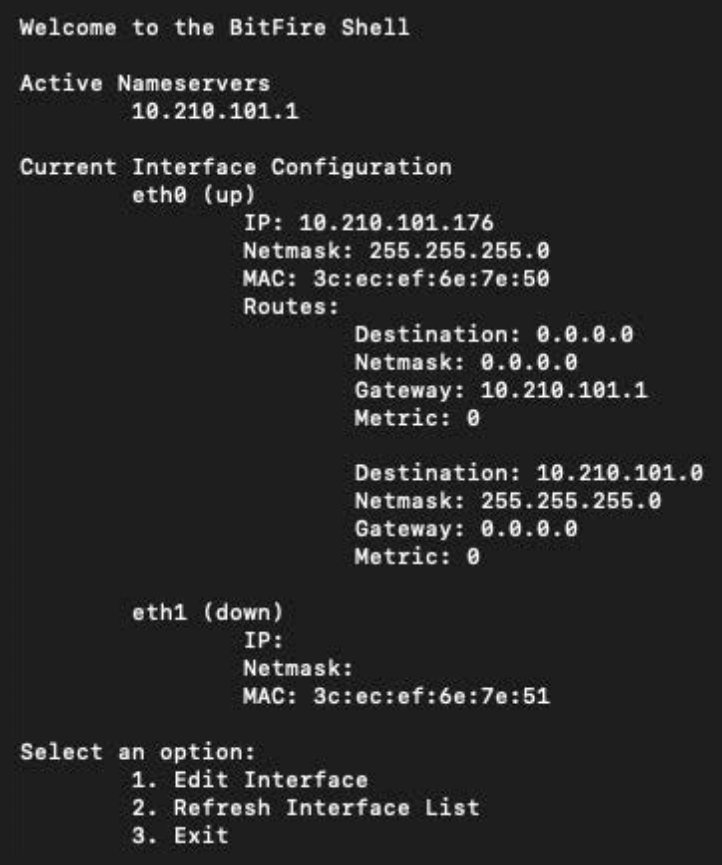
- Once the Engine has booted up, enter credentials into the login screen.
- Select Option 1 to Edit Interface.
- Type eth0 and press Enter.
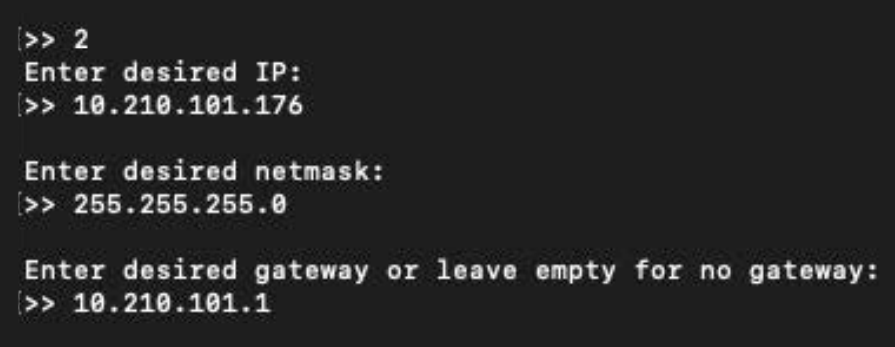
- Select Option 2 to set Static IP.
- Input your static configuration when prompted.
- If there are no specific DNS/nameserver settings for your IP, enter 1.1.1.1 and 8.8.8.8.
- If prompted for a Static Route, press Enter.